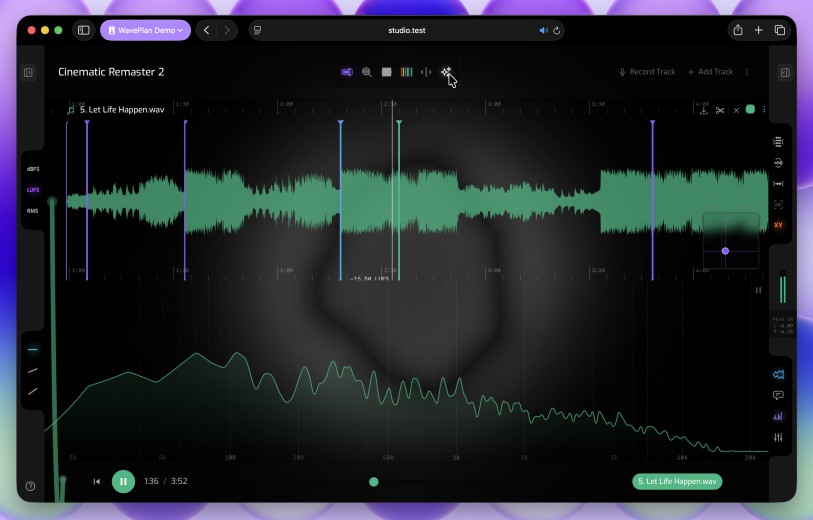
You’re safe to explore
WavePlan is built to be forgiving — your plans live safely in your account, and help is never far away. Explore freely, and if you get stuck, we’re right here.
Start with the documentation
Most questions answer themselves with a quick read. The documentation walks through everything WavePlan does — from your first plan to timeline annotations and reference libraries.
Guides for every part of WavePlan
Quick start, workspace and interface, timeline annotations, frequency analyzer, meter, mixer and more — each topic is a short, focused read.
Free to read, no account needed
The documentation is public — read it before you sign up, while you’re setting up, or any time you want to know what’s possible.
Stuck? Reach out from inside WavePlan
If the documentation doesn’t solve it, submit a support request directly from the WavePlan web app — no separate help desk, no hunting for contact forms.
Submit a request where you already work
Open the support sidebar in WavePlan, describe the problem, and send it. Your request is attached to your account, so we can see what you’re working with.
Follow every request to resolution
Your open requests stay visible in the sidebar — see replies as they arrive, and send feedback just as easily as support.
Explore with confidence — your plans are safe in your account, and we keep your back.
WavePlan
Seamlessly integrates mix planning, waveform annotation and reference checking.
WaveDrive comes with your WavePlan subscription. WavePlan & WaveDrive work hand-in-hand — sync and back up your DAW projects, annotate audio files by DAW project, and plan mixes and masters. WavePlan is great for exploring emerging ideas and igniting creative sparks.